Ownpage
A private notepad that keeps your notes on your own device.
Notes, tasks, databases and a calendar in one place. No account, no internet needed.
Closed beta
Free during the beta
Why Ownpage
Your notes, on your own page.
The problem
Most note apps ask for an account, sync everything to someone else's servers and split notes, tasks and plans across separate tools. Your own notes shouldn't depend on any of that.
The approach
Ownpage is a single, self-contained web app. Everything is saved in the browser's storage on your device, and the app never connects to the internet. Notes, tasks, databases and a calendar live side by side, and Ctrl/⌘ K reaches any note, command or setting.
Key features
Everything in one place.
- Local and privateNo account and no internet connection. Notes stay in the browser on this device.
- Flexible editorRich blocks, Markdown with live preview, or plain Markdown. Type / to insert anything.
- Linked notesLink notes with [[double brackets]], see backlinks and explore connections in a graph.
- Tasks and planningDue dates, priorities and repeating tasks as a list, board or calendar, plus daily notes and a journal.
- DatabasesTurn a note into a database with table, board, gallery, calendar, timeline and list views.
- Rich contentTables, diagrams, LaTeX math, drawings, images, files and voice notes with transcripts.
- Locked notesProtect any note with a password. Its content is encrypted with AES-256.
- Install and go offlineInstall Ownpage from the browser. It opens like a normal app and works without internet.
- Backup and exportDownload backups, mirror notes to a local folder, and export to Markdown, PDF, Word, EPUB and more.
Screenshots
A closer look.
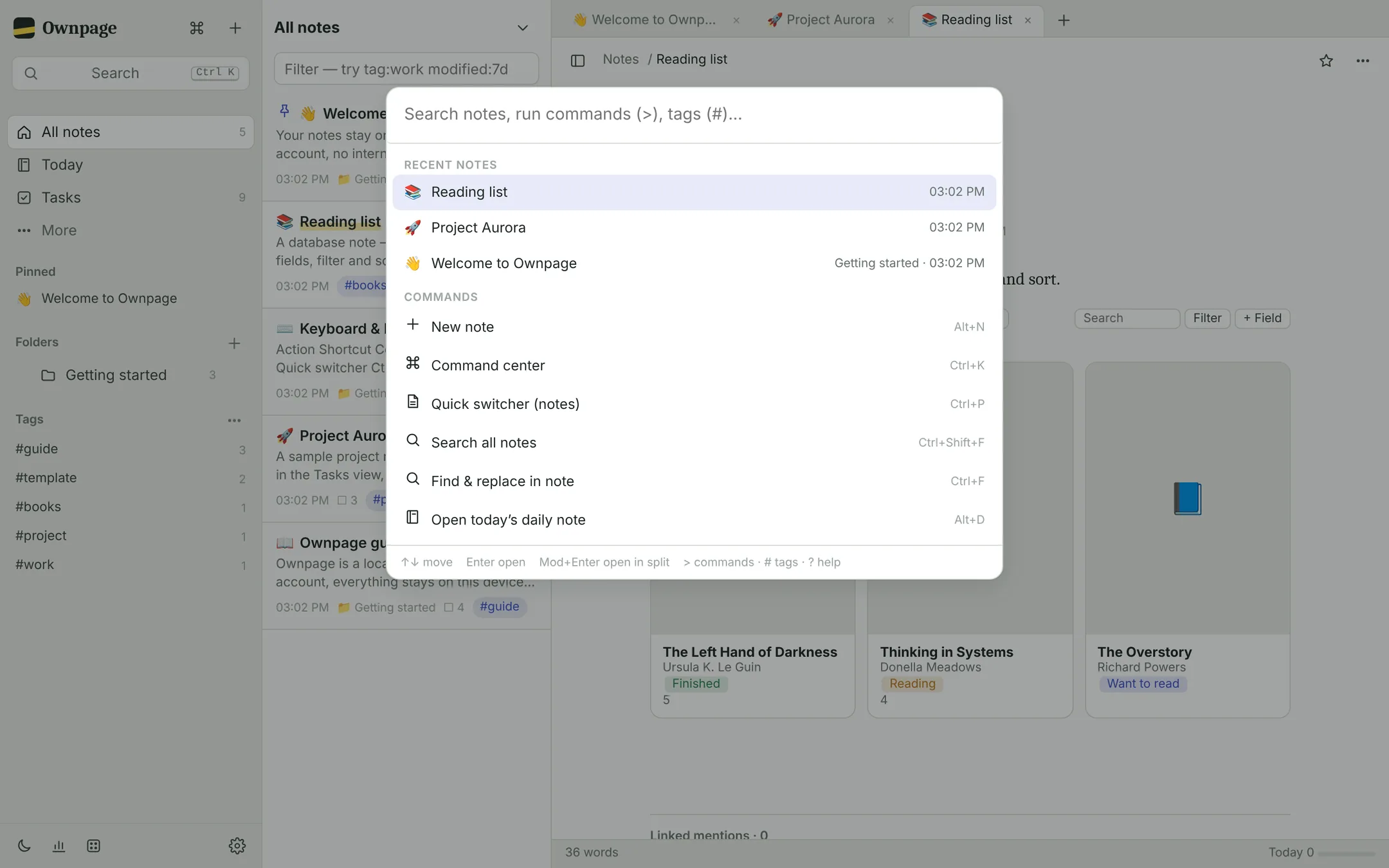 Command center: every note, command and setting behind Ctrl/⌘ K
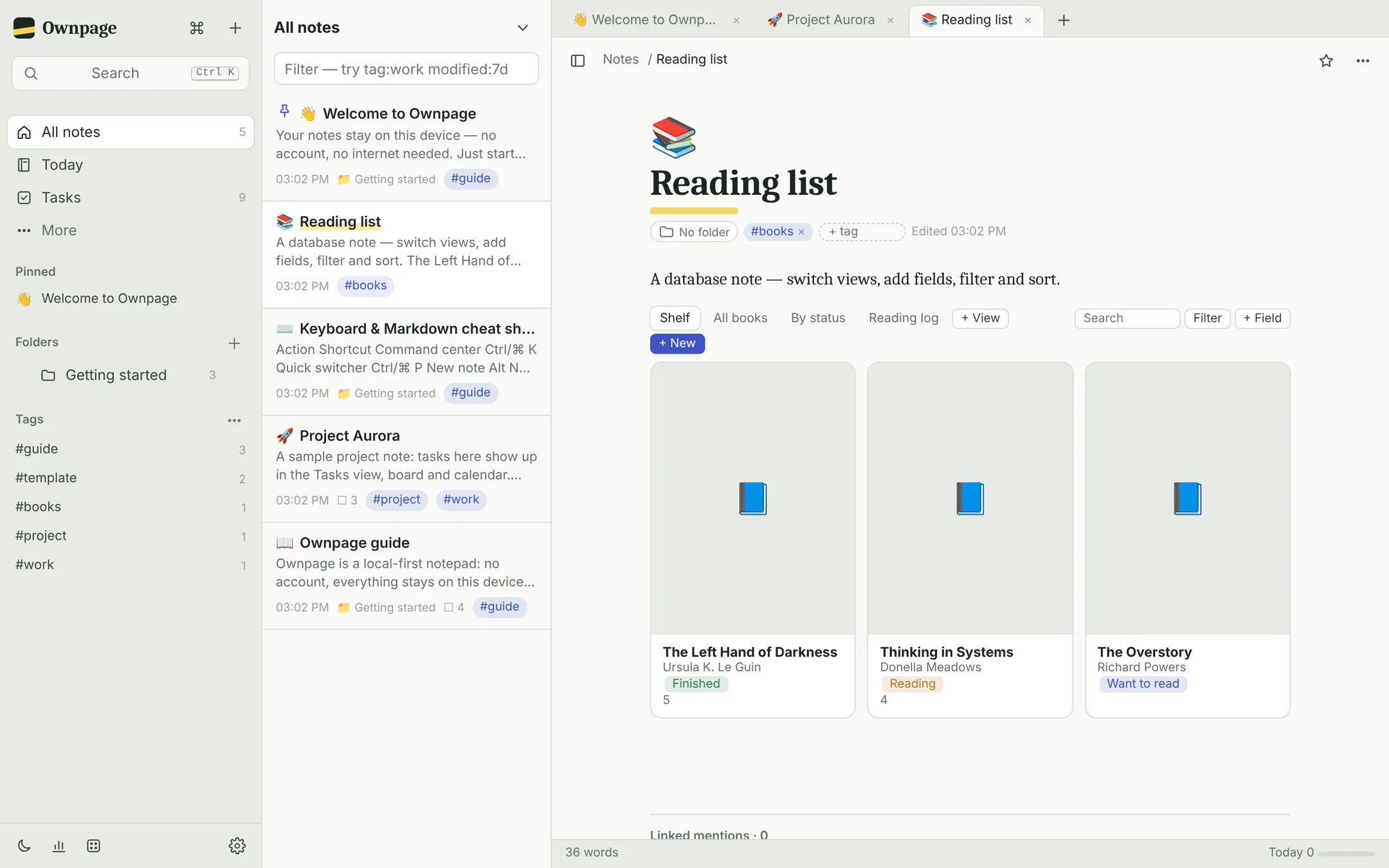 Database note with a gallery view
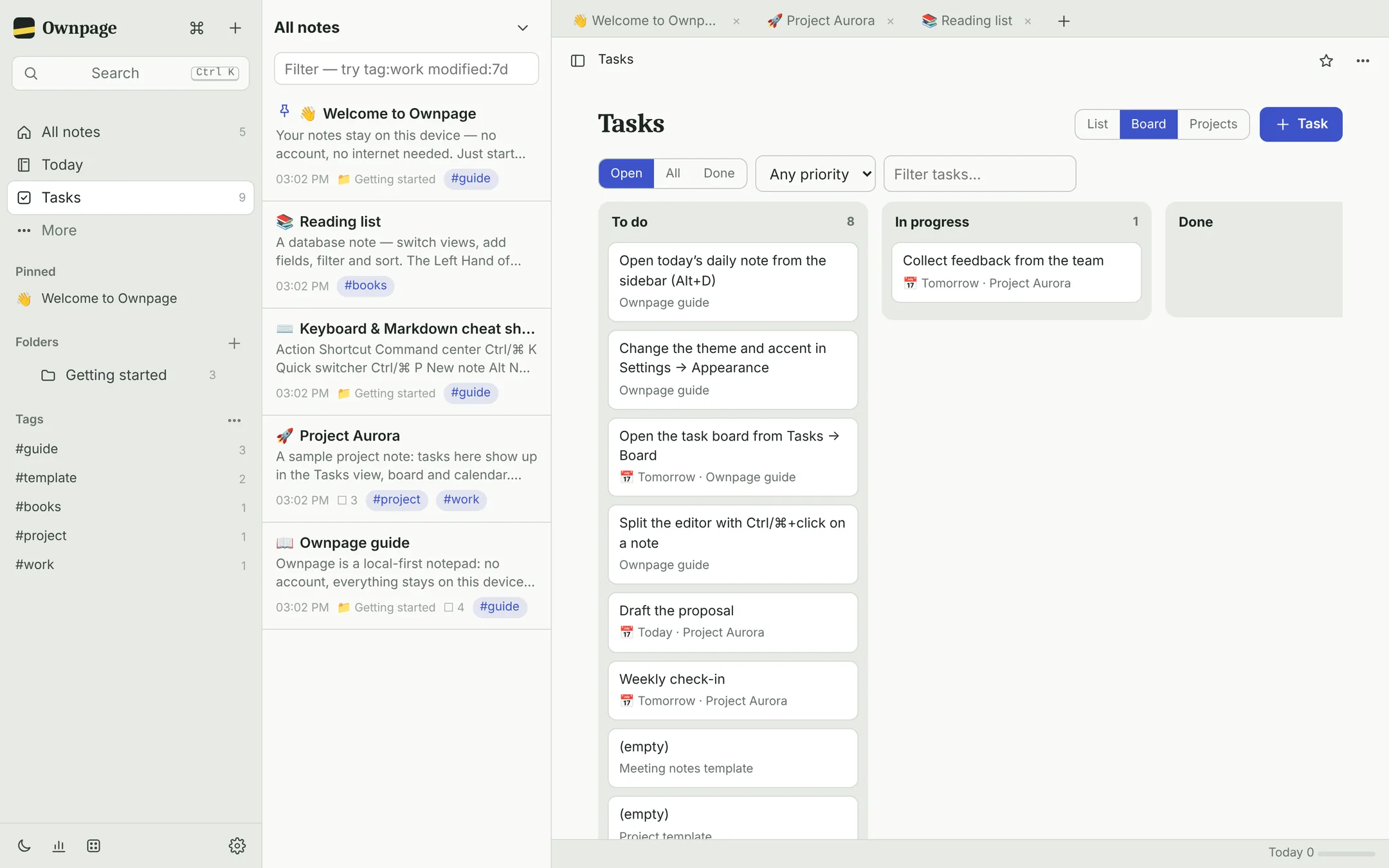 Task board with columns by status
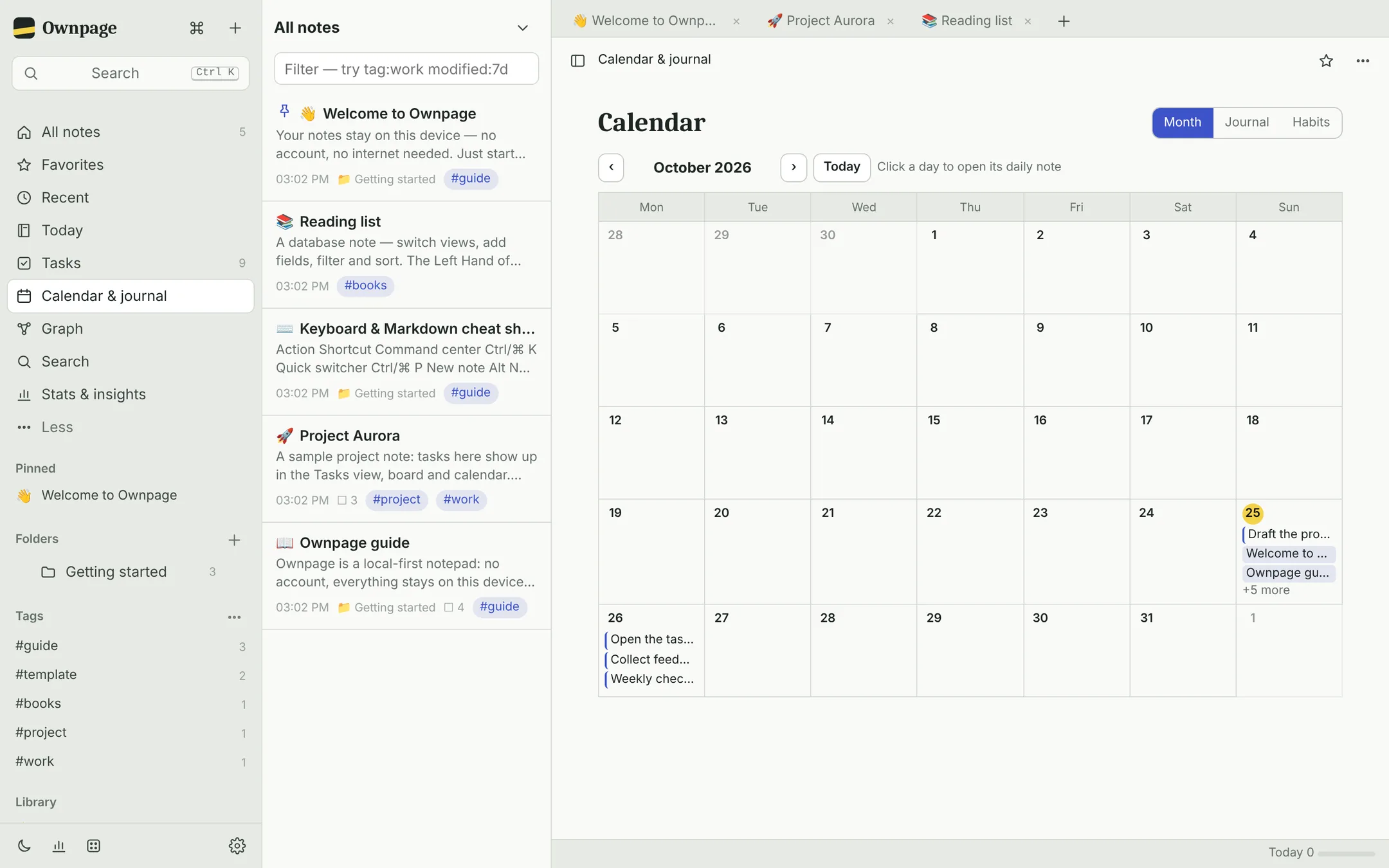 Calendar with daily notes and tasks
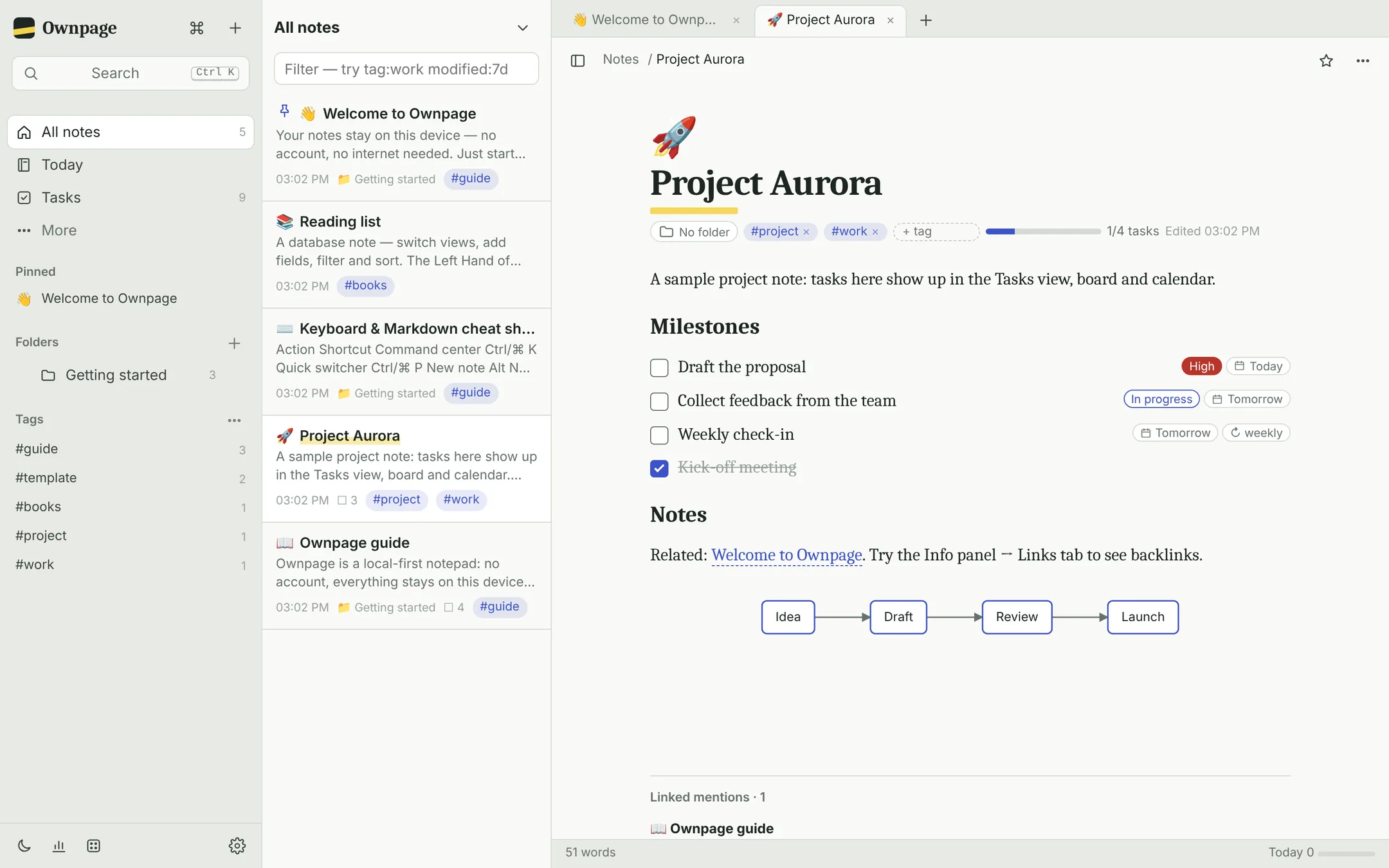 Project note with tasks and a diagram
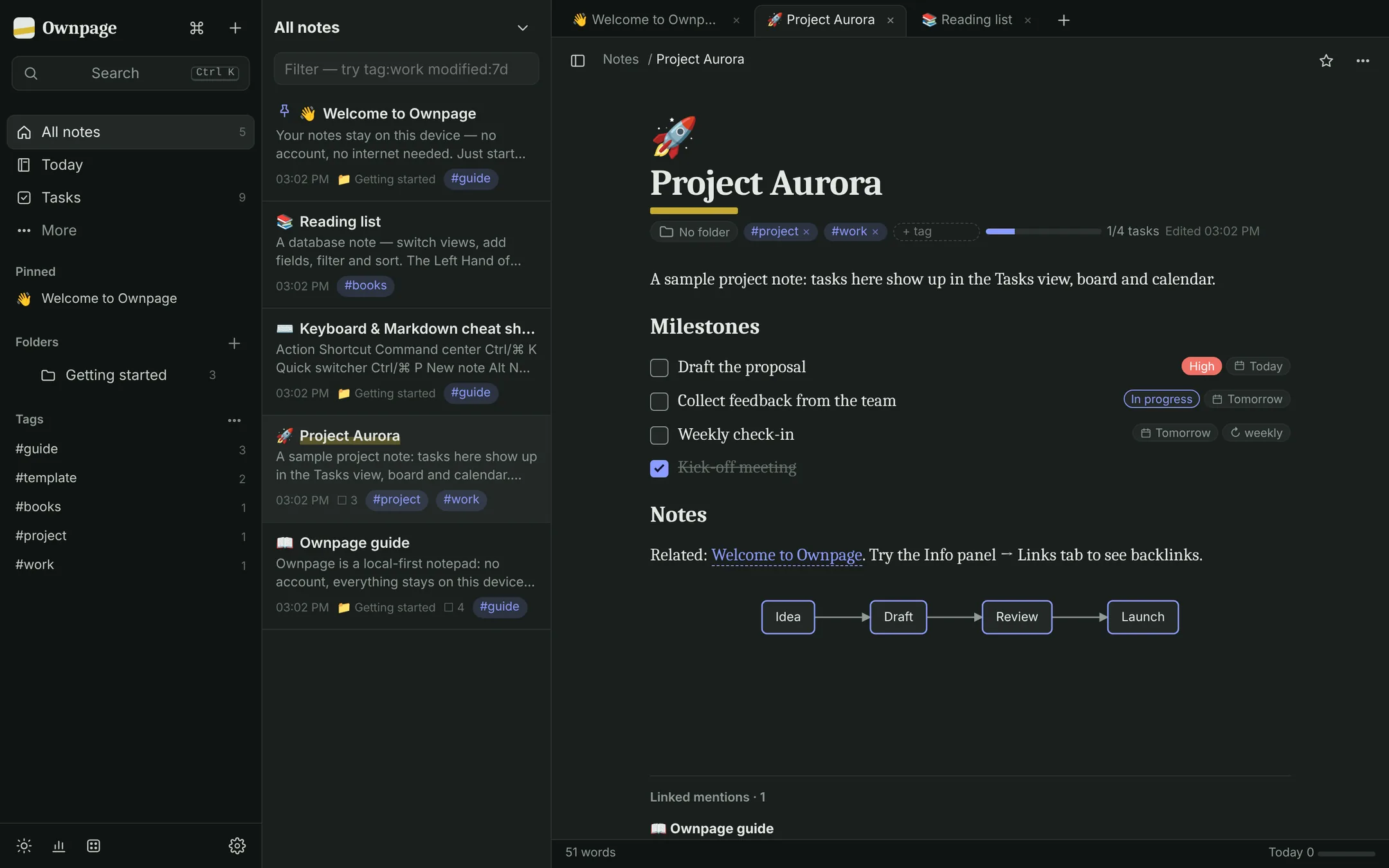 Dark theme
Details
The essentials.
Overview
- Type
- Notes, tasks & knowledge base
- Platform
- Any modern web browser
- Price
- Free during the beta
- Data
- Stored on your device only
- Account
- None needed
- Offline
- Works without internet after the first visit
- Security
- Optional password lock, AES-256 encryption
- Mobile
- Installable from the browser; Android app in development
Status
- Browser versionClosed beta
- Installable app with offline useClosed beta
- Android appIn development
Want to try Ownpage?
Ownpage is in a closed beta. Enter your access password, or ask for an invitation.